Sometimes, there will be a scenario like , Developer has to work with another developer credentials when the other developer is on leave. Password sharing is a aside( This is very Bad idea).
In this case, OBIEE Supports two methods for user to access the system as if they were another Impersonation and Act As.
This article just providing the difference between Impersonation and Act As , as So many blogs have detailed on this already.
Impersonation:
Impersonation is where a super user can login into obiee as another user without needing their password. It is achieved from front endby specifying URL. specifying,
- The superusers login name and password (
NQUserandNQPasword)
- The login ID of the user to impersonate (
Impersonate)
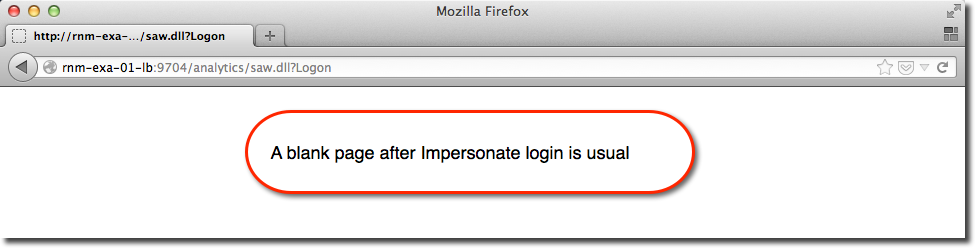
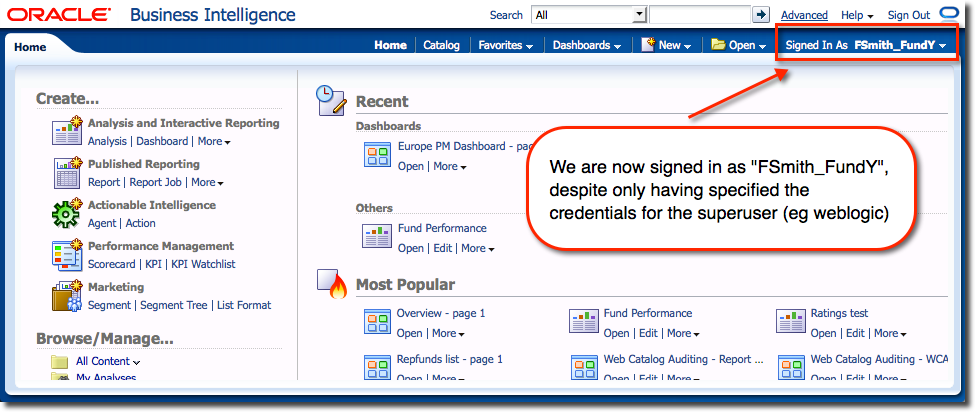
From here you can view the system as they would, and carry out whatever support or troubleshooting tasks are required.
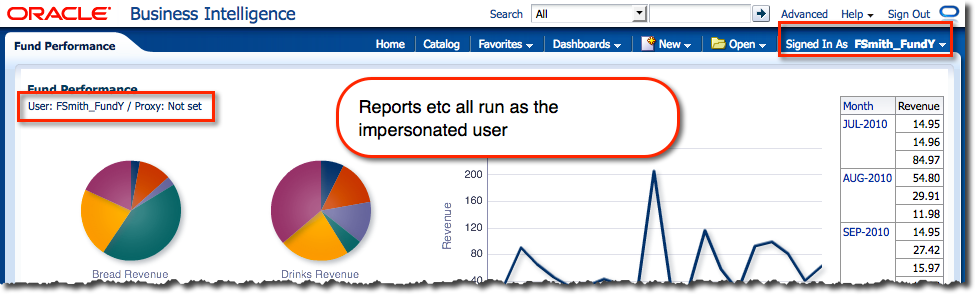
Caution : Impersonation is disabled by default, even for the weblogic Administrator user, and it is a good idea to leave it that way. If you do decide to enable it, make sure that the user to whom you grant it has a secure password that is not shared or known by anyone other than the account owner. Also, you will see from the illustration above that the password is submitted in plain text which is not good from a security point of view. It could be "sniffed" along the way, or more easily, extracted from the browser history.
Act As:
Act As is a very similar concept to Impersonation (allow one user to access OBIEE as if they were another), Act As is much more controlled in how it grants the rights. Act As requires you to specify a list of users who may use the functionality (“Proxy users”), and for each of the proxy users, a list of users (“Target users”) who they may access OBIEE as.
Act As functionality is accessed from the user dropdown menu :
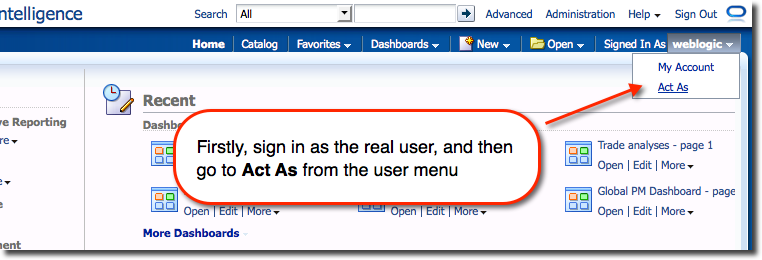
From where a list of users that the logged-in user (“proxy user”) has been configured to be able to access is shown :
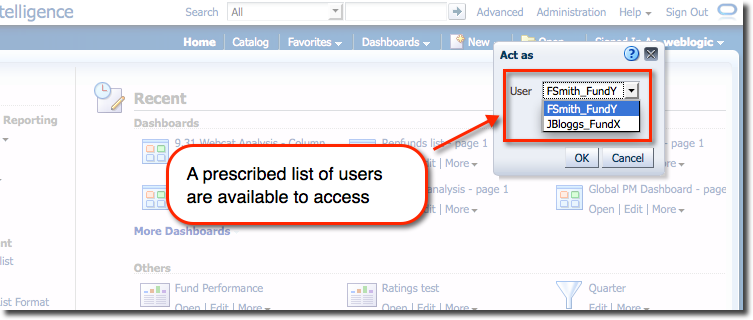
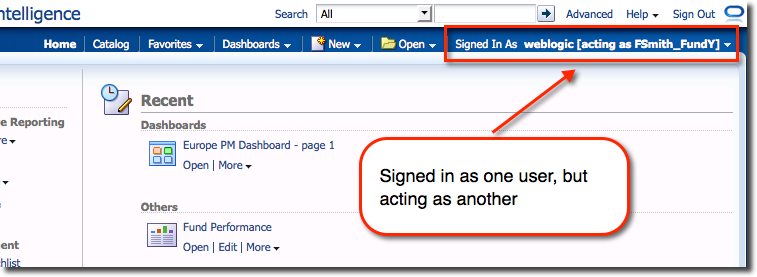
Selecting a user switches straight to it:
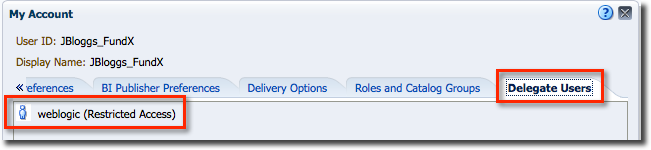
In addition to this fine grained specification of user:user relationships, you can specify the level of access a Proxy user gets – full, or read-only. Target users (those others can Act As) can see from their account page who exactly has access to their account, and what level of access.
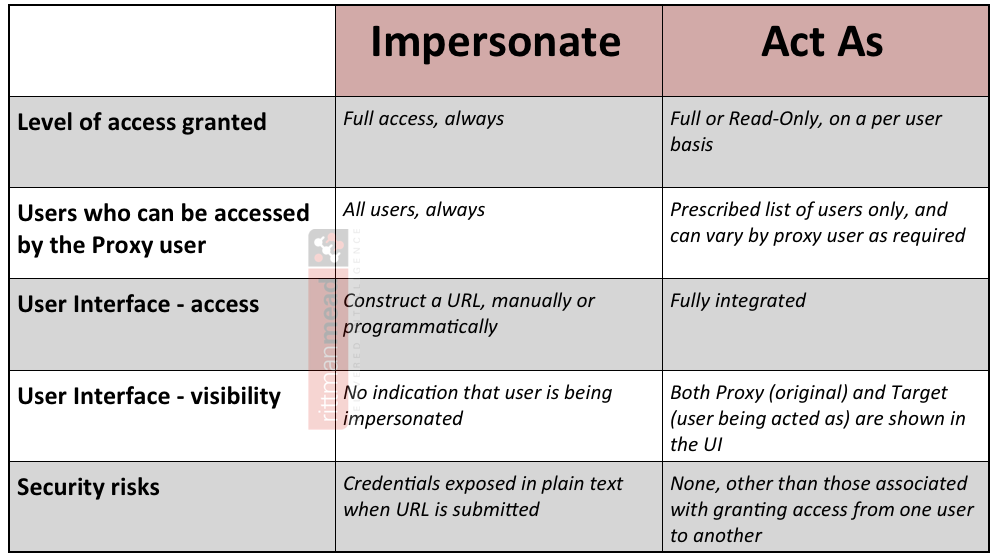
Difference: